 Call Technician

Croma AC Error Codes & Troubleshooting
Croma AC Error Code Finder
Type your error code below to see what it means and the quick fix to try.
Modern Croma air conditioners, whether split or window models, use built-in error codes to alert users the moment something goes wrong. These codes appear on the indoor display or as blinking flashes on the outdoor unit, helping you spot issues like sensor faults or compressor problems early.
Croma separates these into two categories: Fault codes, which usually point to a component failure, and Protection codes, which show the AC has paused itself to prevent damage.
This guide covers both Croma Split and Window AC models, and is based strictly on official Croma user manuals, tailored for Indian AC users.

Quick Find Your Croma AC Error Codes
| Error Codes & Meaning | Quick Solutions |
|---|---|
| EE – Indoor machine EE fault | Reset power. If it repeats, call a technician to check indoor PCB. |
| E1 – Indoor fan fault (Reserved) | Reset power. Persistent fault needs technician check. |
| E1 – Room Sensor problem (Window AC, R32 models) | Check room sensor. Contact dealer if issue continues. |
| E2 – Indoor fan zero-crossing detection abnormal (Reserved) | Reset power. If it returns, needs professional inspection. |
| E2 – Coil Sensor problem (Window AC, R32 models) | Check coil sensor. Contact dealer if issue continues. |
| E3 – Indoor coil fault and sensor fault | Clean air filter and coil. Get sensor tested if it persists. |
| E4 – Indoor ambient temperature sensor fault | Reset AC. If code returns, sensor may need replacing. |
| E5 – No refrigerant protection | Turn off AC. Do not run on low gas. Book leak check and refill. |
| E0 – Outdoor EE fault | Restart once. If it repeats, outdoor PCB needs checking. |
| E6 – Indoor and outdoor machine communication fault | Check wiring between units. Call technician if unresolved. |
| F1 – Compressor starting abnormal (phase failure, reverse) | Check power supply and phase wiring. Avoid repeated restarts. |
| F2 – Compressor out-of-step fault | Turn off for a few minutes, then restart. Get compressor checked if it recurs. |
| F3 – IPM module fault | Switch off immediately. Needs professional module inspection. |
| F4 – Compressor shell roof fault/protection | Let unit cool. Check outdoor unit airflow and cleanliness. |
| F5 – Discharge temperature sensor fault | Reset power. Sensor testing required if it persists. |
| F6 – Suction temperature sensor fault (Reserved) | Not user-serviceable. Contact technician if displayed. |
| F7 – Outdoor coil temperature sensor fault | Clean outdoor coil. Sensor may need replacement if unresolved. |
| F8 – Outdoor ambient temperature sensor fault | Check outdoor unit ventilation. Call technician if it persists. |
| F9 – Outdoor DC fan fault (Reserved) | Check outdoor fan for blockage. Needs professional check. |
| E8 – Outdoor communication fault | Inspect wiring between indoor and outdoor units. |
| P1 – Outdoor machine AC current protection | Check for voltage fluctuation. Use a stabilizer if needed. |
| P2 – Compressor phase current protection | Get electrical supply and wiring checked professionally. |
| P3 – Outdoor unit over-high/over-low AC voltage protection | Install a stabilizer. Avoid running AC during voltage swings. |
| P4 – DC voltage over-high or over-low voltage protection | Needs professional diagnosis of PCB and power circuit. |
| P5 – IPM over-high temperature protection | Switch off, let unit cool. Check outdoor ventilation. |
| P6 – Discharge temperature overheat protection | Clean filters and coils. Ensure correct refrigerant level. |
| P7 – Cooling indoor coil anti-freezing protection | Check filter and airflow. Clean filter, check fan speed. |
| P8 – Cooling outdoor coil overheat protection | Clean outdoor coil. Ensure proper airflow space. |
| P9 – Heating indoor coil overheat protection | Clean coil. Check indoor fan speed settings. |
| PC – Cooling outdoor ambient temperature over-low protection | Normal in very cold weather. Avoid cooling mode in extreme cold. |
| PH – Heating outdoor ambient temperature over-high protection | Normal safety cutoff. Wait for temperature to normalize. |
| L1 – Drive bus voltage over-high protection | Check main power voltage. Stabilizer may be required. |
| L2 – Drive bus voltage over-low protection | Check for low voltage supply. Use a stabilizer if needed. |
| L3 – Drive phase current overload fault | Turn off and let system rest. Get compressor load checked. |
| L4 – Phase current sampling abnormal | Needs professional inspection of inverter/control board. |
Croma displays these codes in two ways: as a direct code on the indoor unit’s display panel, or as a series of blinking flashes on the outdoor unit’s light. Both point to the same fault, so you can use either one to match the table above.
Hire Our Expert AC Technician for Same Day Home Service in Kolkata
TL;DR:
Croma AC Error Code Explanation With Possible Solutions
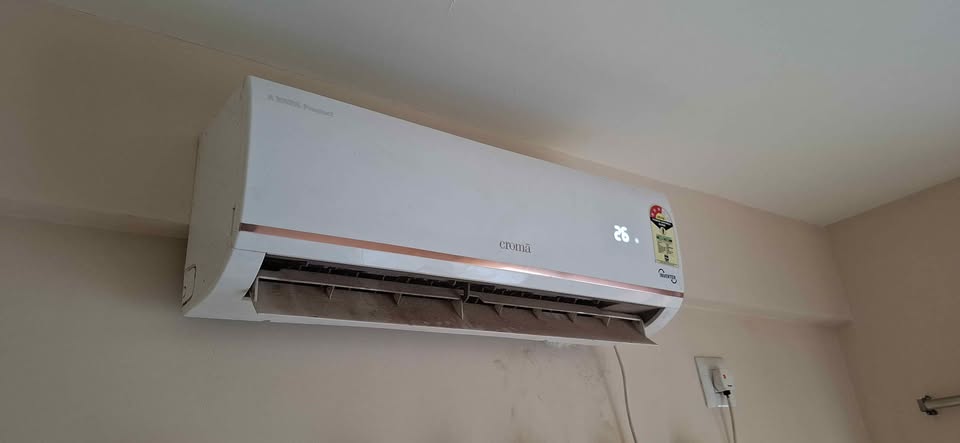
EE – Indoor Machine EE Fault
What Causes This Error: This indicates an EEPROM fault on the indoor unit’s PCB. Common causes include voltage surges, moisture entering the indoor unit, dust buildup, or ageing PCB components. It can also result from a loose or damaged connector on the control board.
How to Fix The Error:
Do You Need to Call an AC Technician? Yes. EEPROM faults usually need PCB testing and possible replacement, which should be handled by a trained technician.
E1 – Indoor Fan Fault (Reserved)
What Causes This Error: This fault relates to the indoor blower fan not responding correctly. Common causes include a weak or damaged capacitor, jammed bearings, loose wiring, or a faulty PCB not sending proper voltage to the motor.
How to Fix The Error:
Do You Need to Call an AC Technician? Yes, if the fan doesn’t start after basic checks. Capacitor or motor replacement needs proper testing tools and expertise.
Urban Service Plaza is the best AC Service Centre in Kolkata for expired warranty products. Hire our technicians for same day appliance repair at your doorstep.
E1 – Room Sensor Problem (Window AC, R32 Models)
What Causes This Error: This code appears on select Croma Window AC (R32) models when the room temperature sensor fails. Causes include sensor ageing, loose connector, moisture damage, or a wiring fault between the sensor and control board.
How to Fix The Error:
Do You Need to Call an AC Technician? Yes. Croma’s manual advises contacting the dealer directly for sensor problems, as sensor testing needs a multimeter and technical know-how.
E2 – Indoor Fan Zero-Crossing Detection Abnormal (Reserved)
What Causes This Error: This fault occurs when the PCB cannot properly detect the fan motor’s rotation signal, often called a feedback fault. Causes include loose feedback wiring, a faulty PCB, or motor speed control issues in PG-type indoor motors.
How to Fix The Error:
Do You Need to Call an AC Technician? Yes. Diagnosing feedback signal faults needs PCB-level testing, which should be handled by a qualified technician.
E2 – Coil Sensor Problem (Window AC, R32 Models)
What Causes This Error: This code applies to select Croma Window AC (R32) models when the coil temperature sensor malfunctions. Common causes include dust buildup near the coil, sensor ageing, ice formation affecting readings, or a loose sensor connector.
How to Fix The Error:
Do You Need to Call an AC Technician? Yes. Croma’s manual recommends contacting the dealer, since sensor testing and replacement need proper tools.
E3 – Indoor Coil Fault and Sensor Fault
What Causes This Error: This fault points to a problem with the indoor evaporator coil sensor. Causes include a dirty or dust-clogged coil, faulty coil sensor readings, ice buildup from restricted airflow, or a weak blower reducing airflow across the coil.
How to Fix The Error:
Do You Need to Call an AC Technician? Yes, if the error returns after cleaning and reset. Sensor testing needs a multimeter and replacement by a professional.
E4 – Indoor Ambient Temperature Sensor Fault
What Causes This Error: This code relates to the room temperature sensor near the indoor coil. It can fail due to age, moisture damage, loose wiring, or a damaged connector, causing the AC to misjudge room temperature and trigger the fault.
How to Fix The Error:
Do You Need to Call an AC Technician? Yes. Confirming a faulty ambient sensor needs resistance testing with a multimeter, and replacement requires opening the indoor unit safely.
E5 – No Refrigerant Protection
What Causes This Error: This code triggers when the system detects insufficient refrigerant, usually from a leak. Common causes include corroded copper pipes, poor installation, worn flare fittings, or gradual wear at joints over the AC’s lifespan.
How to Fix The Error:
Do You Need to Call an AC Technician? Yes, always. Refrigerant leaks must be located and repaired before refilling gas, requiring trained technicians with pressure gauges and leak-detection tools.
E0 – Outdoor EE Fault
What Causes This Error: This code signals an EEPROM fault on the outdoor unit’s PCB. Frequent causes include voltage surges, moisture entering the outdoor control box, dust accumulation, or age-related capacitor failure, often worsened by rain or humidity.
How to Fix The Error:
Do You Need to Call an AC Technician? Yes. This fault typically needs PCB inspection or replacement, along with checks for burnt components, best handled by a trained technician.
E6 – Indoor and Outdoor Machine Communication Fault
What Causes This Error: This fault happens when the indoor and outdoor PCBs stop exchanging signals properly. Common causes include damaged or loose signal wire connections, a faulty indoor or outdoor PCB, or voltage surges affecting the communication circuit.
How to Fix The Error:
Do You Need to Call an AC Technician? Yes. Confirming which PCB is at fault needs voltage testing between the neutral and signal wires with a multimeter, a task best left to a trained technician.
F1 – Compressor Starting Abnormal (Phase Failure, Reverse)
What Causes This Error: This fault appears when the compressor fails to start correctly due to phase failure or reversed connections. Common causes include a weak capacitor, low voltage supply, loose wiring at compressor terminals, or incorrect phase sequence during installation or repair.
How to Fix The Error:
Do You Need to Call an AC Technician? Yes. Correcting phase wiring and testing the capacitor or compressor windings needs proper electrical tools and expertise.
F2 – Compressor Out-of-Step Fault
What Causes This Error: This fault occurs when the compressor’s motor loses synchronisation during operation, common in inverter compressors. Causes include refrigerant blockage, pipe choking, mechanical jamming inside the compressor, or voltage fluctuations disrupting motor control.
How to Fix The Error:
Do You Need to Call an AC Technician? Yes. Diagnosing synchronisation faults needs pressure testing and compressor inspection, best handled by a trained technician.
F3 – IPM Module Fault
What Causes This Error: The IPM (Intelligent Power Module) controls compressor speed in inverter ACs. This fault often results from IPM overheating, dried thermal paste on the module, PCB failure, or a loose heat sink connection.
How to Fix The Error:
Do You Need to Call an AC Technician? Yes, always. IPM faults need module testing, thermal paste reapplication, or PCB replacement, which requires specialised tools and training.
F4 – Compressor Shell Roof Fault/Protection
What Causes This Error: This protection activates when the compressor shell overheats beyond safe limits. Causes include dirty condenser coils, poor outdoor ventilation, low refrigerant, weak capacitor, or continuous operation under high load.
How to Fix The Error:
Do You Need to Call an AC Technician? Yes, if the fault repeats after cooling and cleaning. Persistent overheating may signal a refrigerant or compressor issue needing professional diagnosis.
F5 – Discharge Temperature Sensor Fault
What Causes This Error: This sensor monitors hot refrigerant gas leaving the compressor. Faults occur due to sensor ageing, loose connectors, incorrect sensor placement, or wiring damage, causing the PCB to misread compressor discharge temperature.
How to Fix The Error:
Do You Need to Call an AC Technician? Yes. Testing sensor resistance and correct placement needs a multimeter and technical expertise.
F6 – Suction Temperature Sensor Fault (Reserved)
What Causes This Error: This code relates to the suction line temperature sensor, which is reserved on many Croma models. When active, it can indicate sensor wire damage, loose connectors, or sensor ageing affecting refrigerant temperature readings.
How to Fix The Error:
Do You Need to Call an AC Technician? Yes. This is not typically user-serviceable, and confirming a genuine fault needs professional sensor testing.
F7 – Outdoor Coil Temperature Sensor Fault
What Causes This Error: This fault points to the outdoor condenser coil sensor. Causes include a dirty condenser coil affecting readings, sensor ageing, loose wiring, or moisture damage to the sensor connector.
How to Fix The Error:
Do You Need to Call an AC Technician? Yes, if cleaning doesn’t resolve it. Sensor testing and replacement need a multimeter and proper technical know-how.
F8 – Outdoor Ambient Temperature Sensor Fault
What Causes This Error: This sensor measures outside air temperature around the outdoor unit. Faults arise from sensor ageing, exposure to direct sunlight or moisture, loose connectors, or wiring damage affecting accurate readings.
How to Fix The Error:
Do You Need to Call an AC Technician? Yes, if the fault continues. Confirming sensor failure needs resistance testing with a multimeter.
F9 – Outdoor DC Fan Fault (Reserved)
What Causes This Error: This reserved code relates to the outdoor DC fan motor. When triggered, causes typically include a faulty fan capacitor, burnt or jammed motor, damaged wiring, or a faulty PCB not sending correct output voltage to the fan.
How to Fix The Error:
Do You Need to Call an AC Technician? Yes, if the fan doesn’t run after basic checks. Motor, capacitor, or PCB testing needs proper diagnostic tools.
E8 – Outdoor Communication Fault
What Causes This Error: This fault occurs when the outdoor unit’s PCB fails to communicate properly with the indoor unit or its internal circuits. Common causes include loose signal wire connections, damaged wiring, or a faulty outdoor PCB affected by moisture or voltage surges.
How to Fix The Error:
Do You Need to Call an AC Technician? Yes. Confirming a genuine communication fault needs voltage testing at the outdoor PCB, best handled by a trained technician.
P1 – Outdoor Machine AC Current Protection
What Causes This Error: This protection activates when the outdoor unit draws abnormally high current. Causes include voltage fluctuation, a weak or faulty capacitor, compressor overload, or a dirty condenser forcing the compressor to work harder than normal.
How to Fix The Error:
Do You Need to Call an AC Technician? Yes, if the fault repeats after cleaning. Testing current draw and the capacitor needs proper electrical tools.
P2 – Compressor Phase Current Protection
What Causes This Error: This fault triggers when the compressor draws excessive current on one or more phases. Common causes include phase imbalance, a weak capacitor, compressor winding issues, or a system blockage forcing the compressor to overwork.
How to Fix The Error:
Do You Need to Call an AC Technician? Yes. Testing phase current and compressor winding condition needs electrical expertise and proper meters.
P3 – Outdoor Unit Over-High/Over-Low AC Voltage Protection
What Causes This Error: This protection activates when incoming AC voltage goes outside the safe range for the outdoor unit. Causes include grid instability, power cuts followed by voltage spikes, or lack of a stabilizer in areas with frequent fluctuation.
How to Fix The Error:
Do You Need to Call an AC Technician? Yes, if this happens often. A technician can recommend the right stabilizer rating and check for PCB damage from repeated voltage stress.
P4 – DC Voltage Over-High or Over-Low Voltage Protection
What Causes This Error: This fault relates to the DC voltage inside the inverter circuit going outside safe limits. Causes include unstable AC input, a faulty PCB component, or ageing capacitors within the inverter control board.
How to Fix The Error:
Do You Need to Call an AC Technician? Yes, always. DC voltage faults need PCB-level testing and component checks that require specialised tools.
P5 – IPM Over-High Temperature Protection
What Causes This Error: This protection triggers when the IPM (Intelligent Power Module) overheats. Common causes include poor outdoor ventilation, dust accumulation, dried thermal paste on the module, or continuous heavy compressor load in hot weather.
How to Fix The Error:
Do You Need to Call an AC Technician? Yes. Reapplying thermal paste or inspecting the IPM module needs technical expertise and proper tools.
P6 – Discharge Temperature Overheat Protection
What Causes This Error: This protection activates when refrigerant gas leaving the compressor gets too hot. Causes include low refrigerant gas, dirty condenser coil, poor airflow around the outdoor unit, or a failing compressor working under strain.
How to Fix The Error:
Do You Need to Call an AC Technician? Yes. Checking refrigerant pressure and discharge temperature needs gauges and professional diagnosis.
P7 – Cooling Indoor Coil Anti-Freezing Protection
What Causes This Error: This protection stops the compressor when the indoor coil risks freezing. Causes include a dirty air filter restricting airflow, a weak blower fan, low refrigerant, or a faulty coil sensor giving incorrect readings.
How to Fix The Error:
Do You Need to Call an AC Technician? Yes, if the fault returns after cleaning. It may indicate low refrigerant or a sensor fault needing professional testing.
P8 – Cooling Outdoor Coil Overheat Protection
What Causes This Error: This protection triggers when the outdoor condenser coil gets too hot during cooling mode. Causes include a dirty condenser coil, blocked airflow around the outdoor unit, an overloaded refrigerant system, or a faulty condenser fan.
How to Fix The Error:
Do You Need to Call an AC Technician? Yes, if cleaning doesn’t resolve it. Persistent overheating may point to a refrigerant or fan motor issue needing inspection.
P9 – Heating Indoor Coil Overheat Protection
What Causes This Error: This protection activates in heating mode when the indoor coil temperature rises too high. Causes include a blocked air filter, restricted airflow, a faulty coil sensor, or reduced blower speed limiting heat dissipation.
How to Fix The Error:
Do You Need to Call an AC Technician? Yes, if the fault persists. Sensor testing and airflow diagnosis need professional tools.
PC – Cooling Outdoor Ambient Temperature Over-Low Protection
What Causes This Error: This protection triggers when the outdoor temperature drops too low for safe cooling operation. It’s usually a normal safety response in cold weather rather than a genuine fault, protecting the compressor from operating outside its intended range.
How to Fix The Error:
Do You Need to Call an AC Technician? Only if this appears in normal weather conditions. A technician can check whether the ambient sensor is giving a false low reading.
PH – Heating Outdoor Ambient Temperature Over-High Protection
What Causes This Error: This protection activates when the outdoor temperature is too high for safe heating mode operation. Like PC, it’s typically a normal safety cutoff rather than a fault, preventing the compressor from working outside its designed range.
How to Fix The Error:
Do You Need to Call an AC Technician? Only if this happens under normal outdoor temperatures. A technician can verify whether the ambient sensor is faulty.
L1 – Drive Bus Voltage Over-High Protection
What Causes This Error: This fault occurs when the DC bus voltage inside the inverter drive circuit rises above safe limits. Common causes include unstable AC power supply, voltage spikes during power restoration, or ageing capacitors in the inverter control board struggling to regulate voltage properly.
How to Fix The Error:
Do You Need to Call an AC Technician? Yes. Testing bus voltage and inverter board components needs specialised electrical tools and expertise.
L2 – Drive Bus Voltage Over-Low Protection
What Causes This Error: This fault triggers when the inverter’s DC bus voltage drops too low. Causes include low incoming AC voltage, loose wiring connections, an undersized or absent stabilizer, or grid instability common in areas with heavy summer load.
How to Fix The Error:
Do You Need to Call an AC Technician? Yes, if the fault persists even with stable supply. This may indicate a genuine inverter board issue needing professional diagnosis.
L3 – Drive Phase Current Overload Fault
What Causes This Error: This fault happens when the inverter drive circuit detects excessive current draw on a phase. Causes include compressor overload, refrigerant blockage forcing the compressor to work harder, a weak capacitor, or internal compressor winding issues.
How to Fix The Error:
Do You Need to Call an AC Technician? Yes. Diagnosing overload faults needs current testing and compressor inspection, which requires professional tools and expertise.
L4 – Phase Current Sampling Abnormal
What Causes This Error: This fault indicates the inverter control board is receiving incorrect or inconsistent current readings from its sensing circuit. Causes include a faulty current sensor, damaged PCB tracks, loose internal connectors, or component ageing on the drive board.
How to Fix The Error:
Do You Need to Call an AC Technician? Yes, always. This fault needs PCB-level testing of the current sampling circuit, which is not user-serviceable.
Croma AC Not Showing Error Code But Still Not Working?
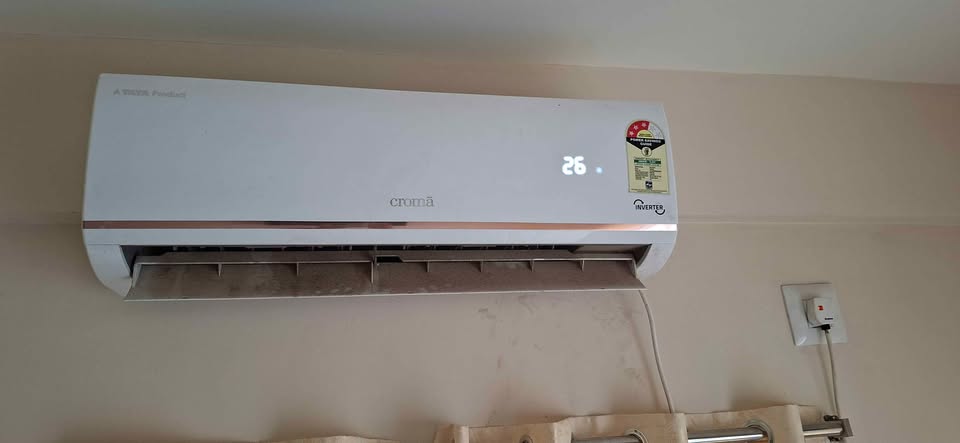
AC Not Cooling
Possible Causes:
Low cooling usually comes down to dirty filters, a choked condenser or evaporator coil, low refrigerant gas, or a weak compressor. A room that’s too large for the AC’s capacity, or doors and windows left open, can also make cooling feel weak even when the AC is working fine.
What to Do:
Clean the air filter and check if the outdoor condenser looks dusty. If cooling doesn’t improve, get the refrigerant level and compressor checked by a technician, since low gas needs a proper leak repair before refilling.
AC Turns On But Stops After Few Minutes
Possible Causes:
This is often called short cycling, caused by a dirty filter, faulty coil sensor, weak capacitor, low refrigerant, or compressor overheating. It can also happen if the AC’s remote is accidentally set to Fan or Auto mode instead of Cool mode.
What to Do:
Check the remote mode and clean the air filter first. If the AC still stops repeatedly, have a technician check the sensor, capacitor, and refrigerant pressure, since these usually need proper testing tools.
Water Leakage
Possible Causes:
Water leaking from the indoor unit is most often caused by a blocked drain pipe, dirty air filter restricting airflow, incorrect indoor unit tilt, or a damaged drain tray. Ice melting from a frozen coil can also overflow the tray suddenly.
What to Do:
Clean the air filter and check if the drain pipe outside is blocked with dirt or algae. If leakage continues, a technician should inspect the drain tray, indoor unit leveling, and coil condition.
Indoor Unit Making Noise
Possible Causes:
Noises like rattling, buzzing, or grinding usually come from loose screws or panels, a dirty blower wheel, worn motor bearings, or ice pieces hitting the fan. A faulty sensor can also cause irregular fan speed and noise.
What to Do:
Tighten any visible loose panels and clean the air filter. If grinding or squealing continues, the blower motor bearings may need replacement, which should be handled by a trained technician.
Outdoor Unit Not Running
Possible Causes:
This can happen due to a tripped circuit breaker, faulty capacitor, damaged wiring, or a defective contactor not receiving the start signal from the indoor PCB. A built-in compressor delay of 2–5 minutes is normal and not a fault.
What to Do:
Wait 5–10 minutes after switching the AC on before checking the outdoor unit. If it still doesn’t start, a technician should test the capacitor, contactor, and wiring connections safely.
AC Remote Not Working
Possible Causes:
The most common cause is weak or wrongly inserted batteries, followed by dust on the remote or AC’s IR sensor, signal obstruction, or a locked remote. A faulty IR receiver inside the indoor unit is also possible.
What to Do:
Replace the batteries and clean both the remote and the AC’s sensor with a dry cloth. You can confirm if the remote is transmitting by viewing its IR light through a phone camera; if it flashes but the AC still doesn’t respond, the indoor IR receiver may need technician inspection.
AC Trips MCB
Possible Causes:
Repeated MCB tripping is usually caused by a compressor or fan motor short circuit, weak capacitor, wrong MCB rating, or loose and burnt wiring. Low voltage during peak summer load can also increase current draw and trip the MCB.
What to Do:
Check if the MCB rating matches your AC’s tonnage and avoid resetting it repeatedly if it trips immediately. A technician should isolate the compressor and fan motor wiring to identify the exact fault safely.
AC Shows Power But Won’t Start
Possible Causes:
If the display or standby light glows but the AC won’t start, this usually points to a blown PCB fuse, faulty relay, sensor issue, or a communication problem between the remote and the indoor unit. Sometimes a stabilizer fault can also block power reaching the compressor.
What to Do:
Try the AC’s manual/emergency button on the indoor unit to see if it starts without the remote. If it doesn’t respond even manually, the PCB fuse or relay likely needs technician-level testing and repair.
For your expired warranty Croma AC & other appliance repair contact Croma service centre in Kolkata for sameday doorstep repair service.
Prevent Croma AC Errors with Regular Maintenance
Croma AC error codes help you spot problems early, whether it’s a sensor fault, a protection trip, or a genuine PCB issue. Start with simple checks: reset the power, clean the filter, and confirm airflow isn’t blocked.
If compressor, PCB, or voltage-related codes like F, P, or L series appear, avoid restarting the unit repeatedly, as this can worsen the fault. When the same error returns or the AC keeps malfunctioning, it’s time to call a trained technician for proper diagnosis.


