 Call Technician

Onida AC Error Codes & Troubleshooting Guide [Quick Fix]
Onida AC error code lookup
Type your error code below to see what it means and the quick fix to try.
Onida Fixed Speed AC Errors Codes
| Error Codes & Meaning | Quick Solutions |
|---|---|
| E1 – Room sensor short or open | Check remote settings, restart AC; if it repeats, sensor needs technician replacement |
| E2 – Coil sensor short or open | Turn off AC, let it rest 10 minutes; if E2 returns, coil sensor needs checking |
| E5 / H6 – Fan motor error | Check if indoor fan is blocked or not spinning; call technician if fan doesn’t run |
| dF – Defrost error | Normal during defrost cycle; if code stays on, get coil and sensor checked |
Onida Inverter AC Error Codes
| Error Codes & Meaning | Quick Solutions |
|---|---|
| EE – Indoor machine EE fault | Restart AC once; if fault repeats, indoor PCB needs inspection |
| E1 – Indoor fan fault | Check if indoor fan is blocked or not spinning; call technician if fan doesn’t run |
| E2 – Indoor fan zero-crossing detection abnormal | Restart AC; if error stays, indoor fan module needs technician check |
| E3 – Indoor coil sensor fault | Clean air filter, ensure airflow isn’t blocked; call technician if unresolved |
| E4 – Indoor ambient temperature sensor fault | Restart AC; if error stays, sensor replacement is needed |
| E6 – Indoor-outdoor communication fault | Check wiring/connector between units; needs technician if it persists |
| E0 – Outdoor EE fault | Power cycle the unit; persistent fault needs outdoor PCB check |
| EB – Outdoor communication fault | Check outdoor wiring connections; call technician if error continues |
| F1 – Compressor starting abnormal (phase failure/reverse) | Check power supply phase and voltage; do not restart repeatedly, call technician |
| F2 – Compressor out-of-step fault | Turn off AC and wait; persistent fault needs compressor/PCB check |
| F3 – IPM module fault | Switch off AC immediately; needs technician for PCB/module inspection |
| F4 – Compressor shell roof fault/protection | Turn off AC, check for overheating; call technician for compressor check |
| F5 – Discharge temperature sensor fault | Ensure proper ventilation around outdoor unit; call technician if it continues |
| F6 – Suction temperature sensor fault | Check refrigerant level and airflow; needs technician inspection |
| F7 – Outdoor coil temperature sensor fault | Clean outdoor unit coil; call technician if error persists |
| F8 – Outdoor ambient temperature sensor fault | Check outdoor unit placement/ventilation; call technician if unresolved |
| F9 – Outdoor DC fan fault | Check if outdoor fan is spinning; call technician if fan is jammed or not working |
Note: For any error code not listed above, or if the code repeats after a restart, contact a qualified Onida technician for service.
TL;DR: Common Causes of Onida AC Error Codes
Hire Our Expert AC Technician for Same Day Home Service in Kolkata
Modern split and window ACs display error codes to warn you about a specific fault, from sensor issues to compressor problems. Onida ACs use two systems: fixed speed models show simple codes like E1, E2, or dF, while inverter models use protection codes like F1 to F9 that safeguard the compressor from serious damage.
Understanding this difference helps you know if the AC is protecting itself or genuinely faulty.
This guide covers both Onida Split AC and Window AC error codes, based on official Onida user manuals, and is designed to help Indian users troubleshoot quickly at home before calling a technician.

Onida Split AC (Fixed Speed Models) Error Code Explanation With Possible Solutions
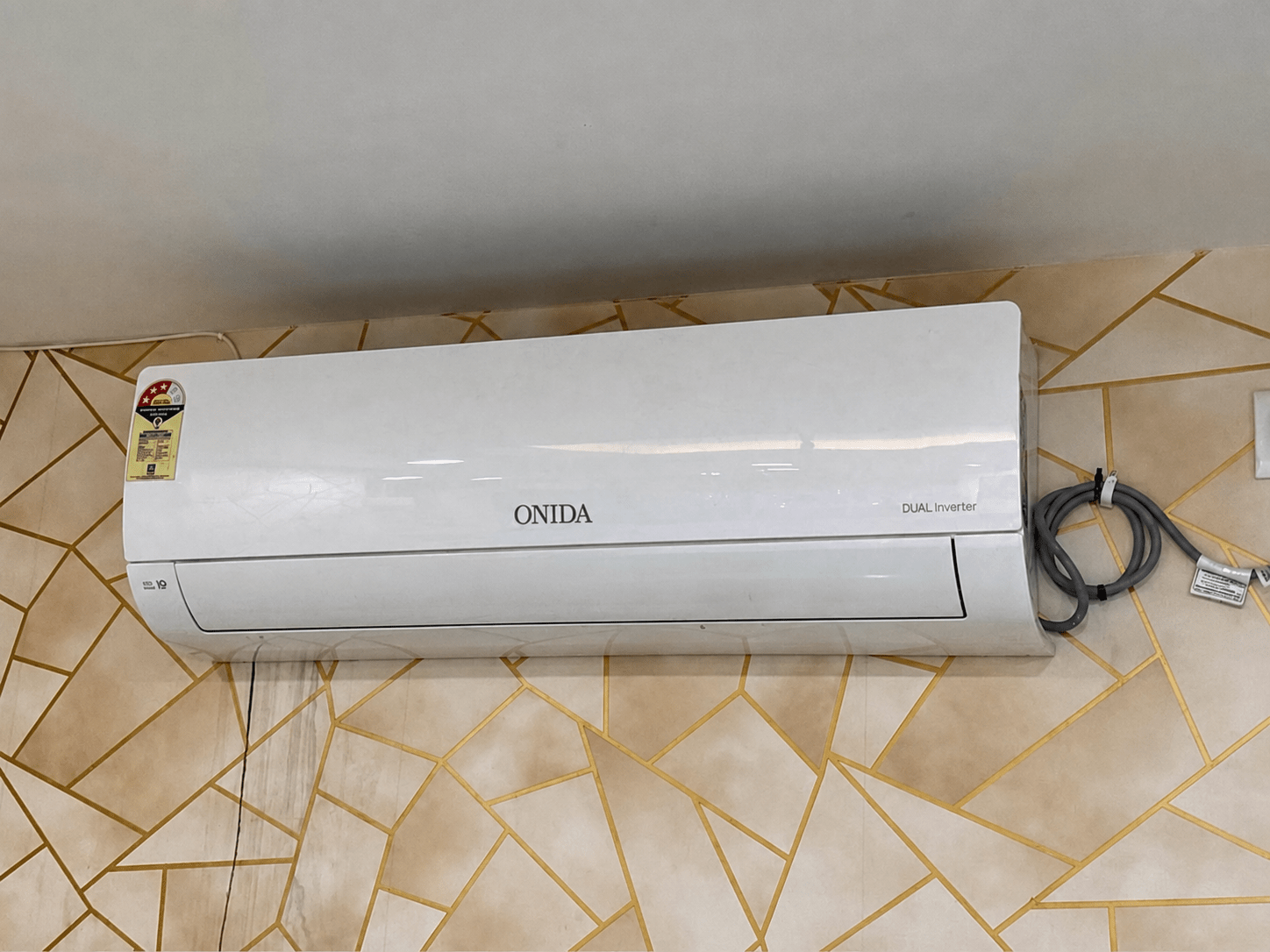
E1 – Room Temperature Sensor Fault (Short/Open Circuit)
What Causes This Error: This code appears when the room temperature sensor develops a short or open circuit. The display shows E1 alternating with the preset temperature every 4 seconds, indicating the PCB cannot read the room temperature correctly.
How to Fix The Error:
- Turn off the AC and restart it after a few minutes.
- If E1 reappears, the room sensor connector may be loose or the sensor itself may be faulty.
- Contact a qualified technician to test and replace the sensor, since this requires opening the indoor unit.
E2 – Indoor Coil (Evaporator) Sensor Fault (Short/Open Circuit)
What Causes This Error: E2 shows up when the coil sensor on the indoor evaporator has a short or open circuit. Similar to E1, the display alternates between E2 and the preset temperature every 4 seconds.
How to Fix The Error:
- Restart the AC once to rule out a temporary glitch.
- Check that the indoor unit has proper airflow, since blocked coils can also affect sensor readings.
- If the error persists, a technician needs to test the coil sensor’s resistance and replace it if faulty.
E5 / H6 – Indoor Fan Motor Fault
What Causes This Error: This code points to a fan motor error, meaning the indoor fan is not rotating properly or its feedback signal isn’t reaching the PCB.
How to Fix The Error:
- Check if the indoor fan is physically blocked by dust or debris.
- Inspect for loose wiring at the fan motor connector.
- If the fan doesn’t spin or runs unusually slow, a technician should inspect the motor and its capacitor.
dF – Defrost Mode / Defrost Error
What Causes This Error: dF indicates the AC has entered defrost mode, which is a normal operation, or that a defrost cycle malfunction has occurred if the code stays on longer than usual.
How to Fix The Error:
- Let the AC complete its defrost cycle; the code should clear on its own.
- If dF remains displayed for a long time, get the coil and its sensor checked.
- A technician can confirm whether it’s a genuine defrost fault or a sensor issue.
Onida Split AC Error Codes (Inverter Models) Explanation
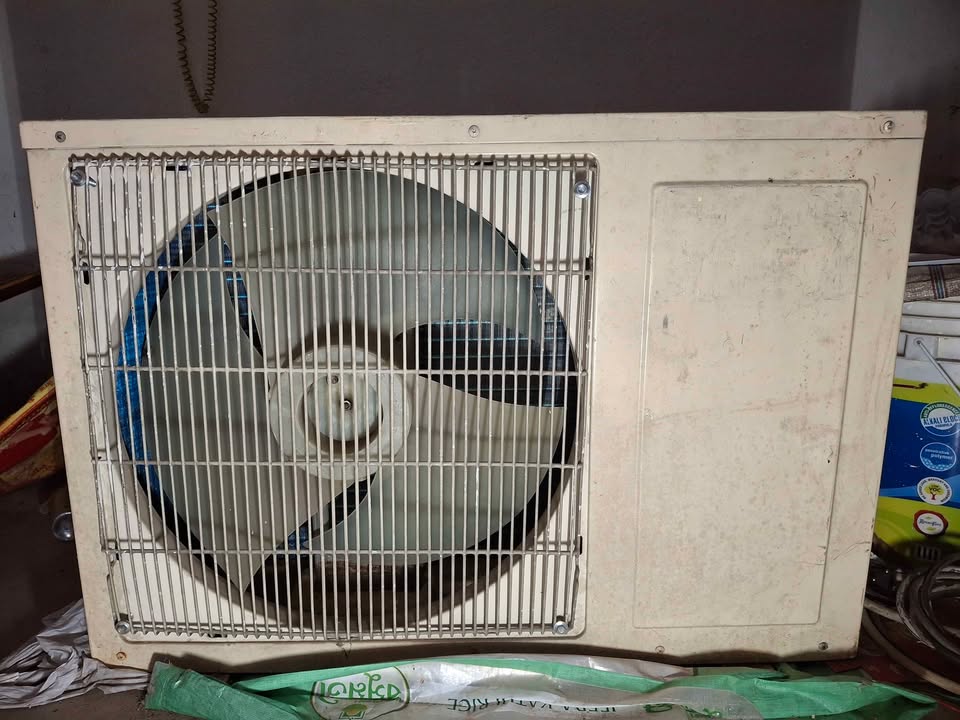
Indoor Unit (IDU)
EE – Indoor EEPROM (EE) Fault
What Causes This Error: EE means the indoor unit’s memory chip (EEPROM) has a fault, which can happen due to a PCB problem or corrupted stored data.
How to Fix The Error: Restart the AC once. If EE reappears, the indoor PCB needs inspection or reprogramming by a qualified technician.
E1 – Indoor Fan Motor Fault
What Causes This Error: This shows the indoor fan motor isn’t functioning correctly, often due to a blocked fan, worn motor, or wiring issue.
How to Fix The Error: Check for obstructions around the indoor fan and inspect wiring connections. If the fan still doesn’t run properly, the motor may need replacement.
E2 – Indoor Fan Zero-Cross Detection Abnormal
What Causes This Error: This fault occurs when the zero-cross detection circuit, which helps control fan speed, fails to send correct signals to the PCB.
How to Fix The Error: Restart the unit first. If the error continues, the indoor PCB or fan control module needs technician-level testing.
E3 – Indoor Coil Sensor Fault
What Causes This Error: E3 indicates a fault in the indoor coil and its temperature sensor, often from a short or open circuit.
How to Fix The Error: Clean the air filter and ensure airflow isn’t restricted, then restart. If unresolved, the coil sensor requires technician replacement.
E4 – Indoor Ambient Temperature Sensor Fault
What Causes This Error: This code appears when the sensor that reads room temperature malfunctions, giving incorrect readings to the PCB.
How to Fix The Error: Restart the AC to rule out a temporary fault. If E4 persists, the ambient sensor needs professional replacement.
E6 – Indoor & Outdoor Unit Communication Fault
What Causes This Error: E6 means the indoor and outdoor units are not communicating properly, often due to wiring problems between them.
How to Fix The Error: Check the connecting wire between indoor and outdoor units for looseness or damage. A technician should inspect the communication cable and connectors if the issue continues.
Oudoor Unit (ODU)
E0 – Outdoor EEPROM (EE) Fault
What Causes This Error: This indicates a memory fault in the outdoor unit’s PCB, similar to the indoor EE fault but on the outdoor board.
How to Fix The Error: Power cycle the unit first. If E0 persists, the outdoor PCB needs technician inspection or replacement.
EB – Outdoor Communication Fault
What Causes This Error: EB points to a communication breakdown specifically on the outdoor unit’s side, often from damaged or loose wiring.
How to Fix The Error: Inspect outdoor unit wiring connections for damage. Call a technician if the fault doesn’t clear after checking connections.
F1 – Compressor Starting Abnormal (Phase Failure / Reverse Phase)
What Causes This Error: F1 appears when the compressor fails to start correctly due to phase failure or reversed phase in the power supply.
How to Fix The Error: Check the power supply phase and voltage stability. Avoid repeated restarts, as this can stress the compressor further; call a technician to correct the phase wiring.
F2 – Compressor Out-of-Step Fault
What Causes This Error: This fault occurs when the compressor loses synchronization during operation, often linked to voltage issues or internal compressor problems.
How to Fix The Error: Turn off the AC and let it rest. If F2 returns, the compressor and PCB need professional diagnosis.
F3 – IPM (Intelligent Power Module) Fault
What Causes This Error: F3 is a very common inverter AC issue, often caused by IPM module overheating, dry thermal paste, or a PCB failure.
How to Fix The Error:
- Switch off the AC immediately to prevent further damage.
- A technician should check the IPM module and heat sink.
- Reapplying thermal paste or replacing the PCB/IPM module may be required.
F4 – Compressor Shell Temperature Protection Fault
What Causes This Error: This code activates when the compressor’s shell temperature protection detects overheating, often due to poor ventilation or a dirty condenser.
How to Fix The Error: Turn off the AC and check for overheating around the outdoor unit. Clean the condenser coil and ensure proper airflow; if the fault repeats, call a technician to inspect the compressor.
F5 – Discharge Temperature Sensor Fault
What Causes This Error: F5 indicates a fault in the sensor that monitors the compressor’s discharge temperature, which is critical for compressor safety.
How to Fix The Error: Ensure proper ventilation around the outdoor unit and check for blocked airflow. If the error continues, the sensor needs technician-level testing and replacement.
F6 – Suction Temperature Sensor Fault
What Causes This Error: This fault points to a problem with the suction line temperature sensor, which can also be affected by low refrigerant.
How to Fix The Error: Check refrigerant levels and airflow around the unit. A technician should test the sensor’s resistance and replace it if needed.
F7 – Outdoor Coil Temperature Sensor Fault
What Causes This Error: F7 appears when the outdoor coil’s temperature sensor malfunctions, often due to dirt buildup or sensor damage.
How to Fix The Error: Clean the outdoor unit coil thoroughly. If the error persists after cleaning, the sensor requires technician inspection.
F8 – Outdoor Ambient Temperature Sensor Fault
What Causes This Error: This code shows the sensor reading outdoor ambient temperature is faulty, which can affect how the AC adjusts compressor and fan speed.
How to Fix The Error: Check the outdoor unit’s placement and ventilation. If unresolved, a technician needs to test and replace the ambient sensor.
F9 – Outdoor DC Fan Motor Fault
What Causes This Error: F9 indicates the outdoor DC fan motor isn’t working correctly, which prevents proper heat dissipation from the condenser.
How to Fix The Error: Check if the outdoor fan is spinning freely and not jammed. If the fan doesn’t work, a technician should inspect the motor, capacitor, and wiring.
Urban Service Plaza is the best Onida Service Centre in Kolkata for expired warranty products. Hire our technicians for same day appliance repair at your doorstep.
Troubleshoot for Most Common Onida AC Problems
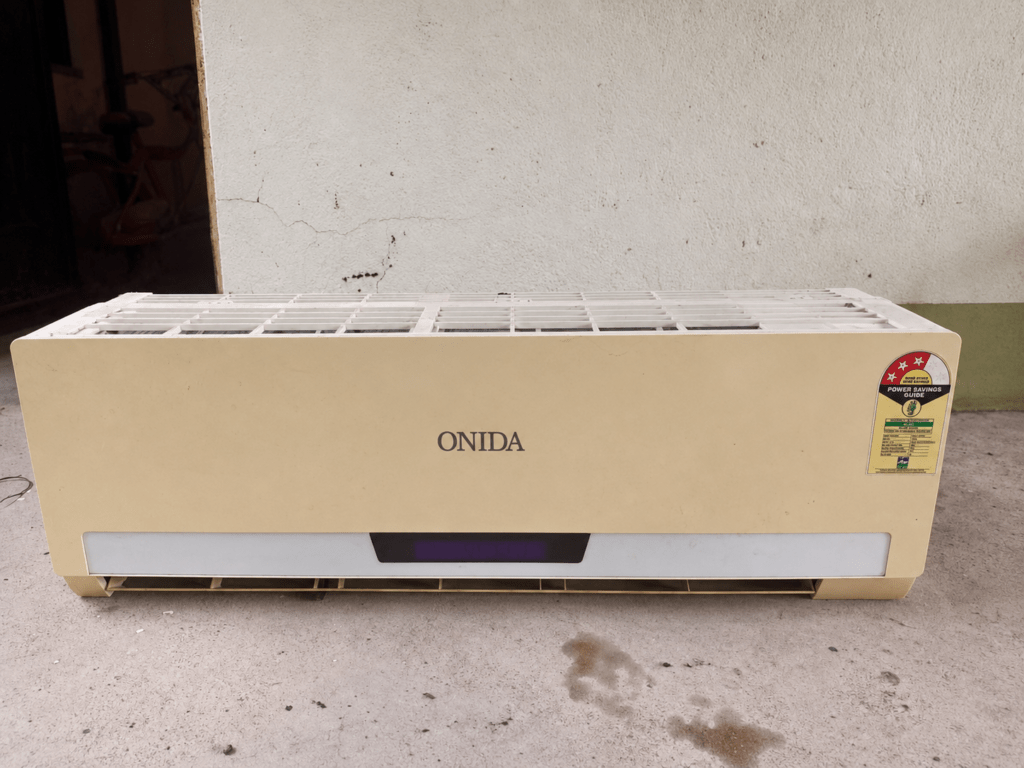
Indoor Unit Can’t Receive Remote Controller’s Signal or Remote Controller Has No Action
Possible Causes:
- Severe interference from static electricity or unstable voltage.
- Remote controller is outside the 8-meter signal range, or an obstacle blocks the signal path.
- Remote controller is not pointed at the receiving window.
- Weak or dead batteries causing a faint, fuzzy, or blank remote display.
- A fluorescent lamp in the room is interfering with the signal.
What to Do:
- Unplug the AC, wait about 3 minutes, then reconnect the power and turn it on again.
- Use the remote within 8 meters of the indoor unit and remove any obstacles in between.
- Point the remote directly at the indoor unit’s receiving window.
- Replace the batteries if the display looks faint or fuzzy, or replace the remote if it’s damaged.
- Move the remote closer to the indoor unit or turn off any nearby fluorescent lamp and try again.
No Air Emitted From Indoor Unit
Possible Causes:
- Blocked air inlet or outlet on the indoor unit.
- Room has already reached the set temperature during heating mode.
- Heating mode has just started and the fan delay is active.
What to Do:
- Check and remove any obstructions from the air inlet or outlet.
- If the set temperature is already reached in heating mode, the fan will stop automatically, so this is normal.
- Wait a few minutes after starting heating mode, since the fan starts after a short delay to avoid blowing cold air.
Air Conditioner Can’t Operate
Possible Causes:
- Power failure or a loose power plug.
- Tripped air switch or blown fuse.
- Wiring malfunction.
- Unit restarted too soon after being switched off.
- Incorrect remote controller function setting.
What to Do:
- Wait for power to be restored, or reinsert the plug securely if it’s loose.
- Ask a qualified professional to replace the air switch, fuse, or repair faulty wiring.
- Wait 3 minutes after stopping the unit before restarting it.
- Reset the remote controller function if the setting seems incorrect.
Mist Is Emitted From Indoor Unit’s Air Outlet
Possible Causes:
- High indoor temperature and humidity levels.
What to Do:
- This is normal. The mist will disappear on its own as the room temperature and humidity decrease.
Set Temperature Can’t Be Adjusted
Possible Causes:
- Unit is operating in Auto Mode, which doesn’t allow manual temperature changes.
- Desired temperature is outside the allowable range.
What to Do:
- Switch to another operating mode if you need to adjust the temperature manually.
- Set the temperature within the 16°C to 30°C range.
Cooling (Heating) Effect Is Not Good
Possible Causes:
- Supply voltage is too low.
- Air filter is dirty.
- Set temperature is not appropriate for the room.
- Doors or windows are open.
What to Do:
- Wait until the voltage returns to normal.
- Clean the air filter regularly to maintain airflow.
- Adjust the temperature to a suitable setting for the room.
- Close all doors and windows during operation.
Odours Are Emitted
Possible Causes:
- Smell coming from furniture, cigarettes, or another external source in the room.
What to Do:
- Remove the source of the odour from the room.
- Clean the air filter, since it can trap and circulate smells.
Air Conditioner Operates Abnormally
Possible Causes:
- Interference from thunder, wireless devices, or similar external sources.
What to Do:
- Disconnect the power supply, reconnect it, and restart the air conditioner.
Outdoor Unit Has Vapor
Possible Causes:
- Unit is operating in heating mode and going through a defrost cycle.
What to Do:
- No action needed. This is a normal defrosting process during heating operation.
“Water Flowing” Noise
Possible Causes:
- Refrigerant flowing inside the system right after the AC starts or stops.
What to Do:
- No action needed. This is a normal operating sound.
Cracking Noise
Possible Causes:
- Expansion or contraction of the panel and internal components due to temperature changes.
What to Do:
- No action needed. This noise is normal when the AC starts or stops.
When to Call Onida Service Centre for Technician Visit?

Turn OFF the air conditioner, disconnect the power supply immediately, and contact the dealer or a qualified professional if:
The power cord is overheating or damaged.
A hot or damaged power cord can cause a short circuit or fire. Switch off the AC at once and get the cord checked by a professional before using it again.
There is an abnormal sound during operation.
Unusual noise often points to a loose part or internal fault. Do not ignore it, as continued use can cause further damage to the unit.
Air switch trips off frequently.
Repeated tripping means the AC is drawing abnormal current or facing an electrical fault. A qualified professional should inspect and fix the issue before you restart the unit.
Air conditioner gives off a burning smell.
A burning smell usually signals a serious electrical or component fault inside the unit. Turn off the power immediately and call a technician right away.
Indoor unit is leaking.
Water leakage from the indoor unit can indicate a blockage or internal fault. Stop using the AC and have it inspected before turning it on again.
Additionally:
Do not repair or refit the air conditioner by yourself.
AC repairs involve electrical components and refrigerant systems that need proper training and tools. Always let a qualified technician handle repairs and refitting.
Operating the air conditioner under abnormal conditions may cause malfunction, electric shock, or fire hazard.
Continuing to run a faulty AC increases the risk of serious damage or injury. Always switch off the unit and seek professional help when you notice any of the above signs.
Onida AC error codes help you spot problems early, before they get worse. Start with simple fixes like a power reset, filter cleaning, or checking airflow.
Avoid repeated restarts for compressor, PCB, or voltage-related codes. If the same error returns, call a qualified Onida technician for proper diagnosis.


![Gree AC Error Codes & Troubleshooting Guide [Error Finder Tool]](https://urbanserviceplaza.co.in/wp-content/uploads/2026/07/gree-ac-error-codes-1-768x432.png)


